
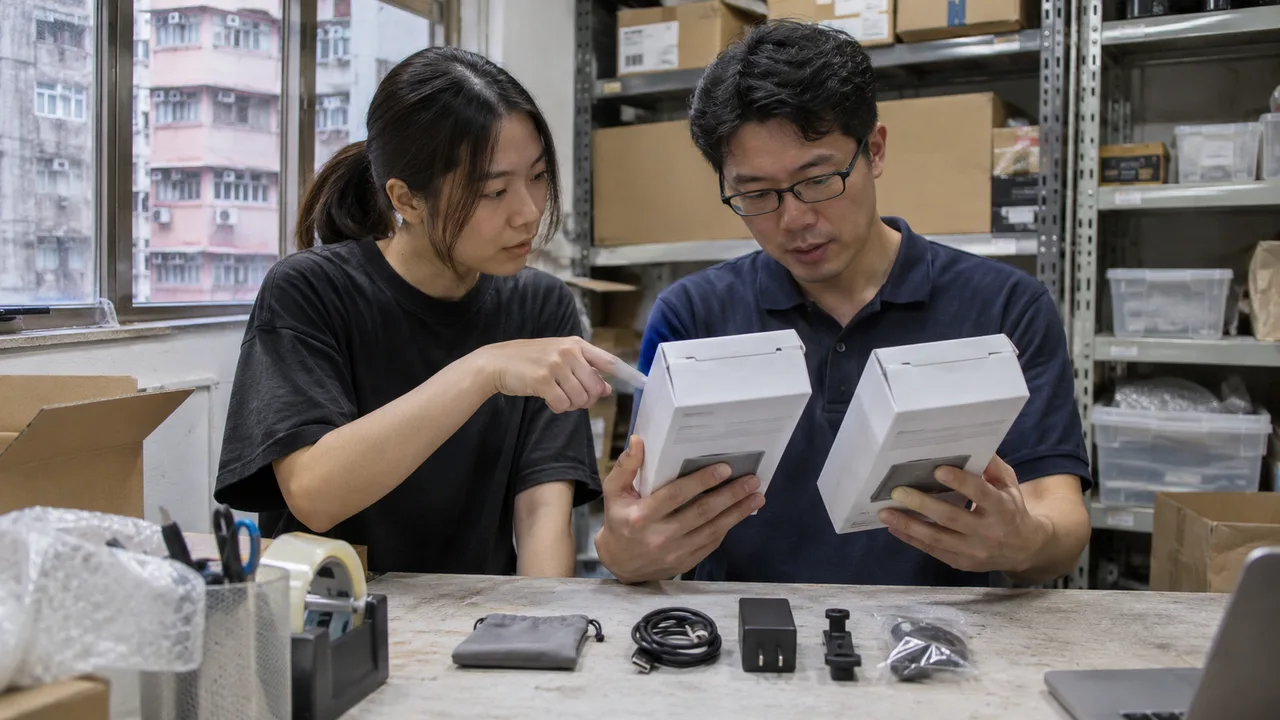
Begin with the sale unit
A product record in Merchant Center should describe the offer a customer can select and buy, not merely the individual stock components inside it. Before filling a field, open the live product page and checkout path, and write down the exact unit: one factory-sealed box, three identical factory boxes sold together, or a camera combined with selected accessories. Check the title, image, price, stock and delivery terms for that unit. If the shop’s warehouse can substitute parts after an order, the public offer must still state clearly what the buyer is promised.
Google’s multipack attribute applies to several identical products grouped by the merchant and sold as one product. Its value is the number of manufacturer-defined products the retailer combined. If a manufacturer already packaged two items as one retail pack, selling one such pack does not make a retailer-defined multipack of two. If the shop groups three of those factory two-packs together, the merchant multipack value is three, while the description can make clear that the customer receives six individual pieces. This distinction avoids confusing inner quantity with outer sale units.
A custom bundle is different: the shop combines different products, and Google’s is_bundle attribute is intended for a merchant-created set with a clear main product. A camera with a lens and bag can qualify when the camera is the main product. A gift basket of equally prominent foods may not have a clear main product, and Google specifically says not to use is_bundle for such a case. A manufacturer-defined bundle is also excluded from this merchant-defined field. Classify the physical offer first; avoid selecting yes merely because the title uses the word “bundle.”
Use each attribute for its own question
For a retailer-created multipack, submit the multipack count of identical manufacturer-defined products. Google says the attribute is required for free listings when the merchant created a multipack. Shopping ads have a country-specific required list in Google’s guidance; Hong Kong is not in that list, so do not claim that the same Shopping-ads requirement applies locally. The free-listings requirement is still relevant. If a factory pack is sold unchanged, omit multipack and describe the factory quantity in the title and product information where appropriate.
For a retailer-created set of different items with one main product, Google instructs merchants to submit yes for is_bundle. The product data specification notes that a missing value defaults to no. This is not a general switch for all promotional combinations. A shop selling two different items side by side with separate purchase buttons has two offers, not one bundle record. If the buyer can choose between several accessory configurations, each separately purchasable configuration needs its own accurate offer data rather than one vague record promising all possibilities.
Do not use both fields just to make a listing look more descriptive. The multipack question is whether the merchant grouped identical products; the bundle question is whether the merchant assembled different products around a main product. A complex offer may need careful interpretation, so inspect the exact packaged units and Google’s current rules before deciding. The field values are classification data, not a substitute for a truthful title, description, image, price and landing page. Merchant Center processing or approval also does not mean that customers will see a listing.
Match identifiers to the right object
Identifiers create another common error. Google’s identifier guidance says that a manufacturer-created multipack should use the GTIN, MPN and brand of that manufacturer pack, rather than the identifiers of a single item inside it. For a merchant-created bundle, use the GTIN, MPN and brand of the main product where those genuine identifiers exist. Do not invent a new GTIN for a shop-made set or copy an accessory GTIN into the main-product field. Record where each identifier came from, such as the manufacturer packaging or supplier catalogue.
For a merchant-defined multipack, inspect Google’s multipack and identifier guidance alongside the exact manufacturer units. The outer shop packaging may have an internal warehouse SKU, but an internal SKU is not automatically a global trade item number. Keep the merchant’s item ID stable for its own offer and avoid recycling a single-unit ID for a multi-unit offer that has a different price and fulfillment promise. If no genuine manufacturer identifier exists, follow Google’s actual identifier rules for that product instead of making one up.
A worked decision helps. Imagine a shop sells one manufacturer-sealed two-pack of filters at HK$120, and also sells three of those sealed two-packs together at HK$330. The first offer is one factory pack and does not use retailer multipack. The second is three identical factory packs grouped by the shop, so multipack is three. If the shop instead sells a filter machine with one pack of filters as a single priced set, inspect whether the machine is the clear main product and whether is_bundle applies. These are illustrative prices, not observed offers.
Audit the whole path, not the feed alone
Google recommends that title, description and image describe the whole bundle. Apply that principle to any grouped offer: the image must not imply accessories that are absent, and the title should make the count or included components legible. The displayed price must buy the stated unit. Open the product page on mobile, select the offer, and check that the cart carries the promised quantity and components through checkout. If the source feed says a pack of three but the product page defaults to one, repair the underlying offer before resubmitting data.
Availability has to refer to the complete offer. Three factory packs in a shop-made multipack require enough stock to fulfill all three for each sale. A camera bundle also depends on the promised accessories. An inventory system may show the main item available while the bundle cannot be shipped; the listing should not imply immediate availability in that case. Keep operational checks separate from the Merchant Center attribute choice. Correct classification cannot rescue a false fulfillment promise, and a good warehouse calculation does not excuse an inaccurate feed.
After editing, review the item diagnostics and the rendered offer in Merchant Center, then revisit the public page. Keep a small audit record: offer ID, packaged unit, who assembled it, count or main product, identifiers and their source, image, price, stock rule, and test checkout date. Repeat when suppliers change factory packaging or the shop changes bundle contents. A classification that was correct for last month’s factory pack can become wrong after a packaging change. Treat any disapproval as a specific diagnosis to investigate, rather than assuming an attribute alone caused it.
Agree the unit of sale across teams before changing a data source. Buying may order by factory case, warehouse staff may pick by inner pack, and the website may sell by bundle. Those are three valid operational units, but the customer-facing offer must be one unambiguous unit. Draw a simple mapping from supplier pack to warehouse pick quantity to online offer. Then test a single checkout and packing instruction. This prevents a feed correction from masking a fulfillment error, such as charging for three factory packs while the pick list requests three individual pieces.
If a promotional set changes contents for a limited period, treat the change as a product-data change, not merely a banner change. Confirm whether the main product remains the same, whether images and copy still show exactly what ships, and whether identifiers still point to the correct object. A temporary free accessory may alter the physical offer even when the price does not change. Check the same offer in the feed, landing page, cart, confirmation message and pick list. If they disagree, pause the claim until the store can fulfill the described set consistently.
For a mixed set with no clear main product, the correct response is not to force is_bundle to yes. Google’s guidance gives a gift basket as an example where the attribute should not be used. The shop still has to present the whole set accurately and use identifiers according to the actual product. Where an unusual pack does not fit a simple example, document the reasoning and check the live specification again. A conservative, truthful classification is more useful than an attractive but inaccurate label that may mislead matching or create a review problem.
Before you proceed
- The record describes the exact unit a customer can buy at checkout.
- Multipack and is_bundle reflect the actual merchant-created grouping.
- Identifiers, image, price and stock agree with the full offer.

