
Choose an image that answers the buying question
A Merchant Center image is a product claim. The shopper sees the main picture before opening the listing, so the image should show the exact item offered by that product record. Google requires an image link for each product and describes it as the primary image; additional image links are for other views. Begin with one real catalogue item and its exact variant, then compare the feed image, landing-page image and purchasable selection. If those differ, a beautiful photograph may still direct a buyer to the wrong item.
Ask what a customer needs to recognise at a glance: colour, shape, package quantity, included parts, or the difference between a single item and a bundle. A main image should make the offered product clear without adding sales slogans. Google’s image guidance rejects promotional overlays, price and shipping text, watermarks, superimposed logos, and generic placeholders. If the physical package carries its own legitimate manufacturer branding, that is different from placing a new logo over the photo. Keep the product itself unobstructed and avoid claiming that a decorative badge is product information.
A useful image plan separates identification from explanation. Put the cleanest truthful view of the offered variant in image_link. Use optional additional images for the back, important texture, scale, contents or usage where they help resolve a buying doubt. Google permits extra images to show staging or part of a bundle, while the main image must identify the advertised product. The product page should explain features and conditions in ordinary text too. A photograph can show appearance, but it cannot reliably carry warranty, compatibility or delivery terms for every customer.
Check the source URL and file itself
Google’s image_link specification calls for a valid image URL with a supported format and a matching extension. It lists JPEG, WebP, PNG, GIF, BMP and TIFF, a limit of 16 MB per file, and no image above 64 megapixels. Its page also announces a 500 by 500 pixel minimum beginning 31 January 2027, with about 1500 by 1500 pixels or more recommended where possible. For a 2026 decision, do not describe the future threshold as a past enforcement event. Use sufficiently sharp source photography now and check the live specification again before the new date.
Test the exact URL in the submitted product data, not just the image visible in the browser. A content delivery service might display one file on the landing page but submit a stale or protected feed URL. Open the submitted URL in a normal browser without a staff login, check that it returns the intended image, and confirm the file extension agrees with the format. Google also asks that robots.txt allow Googlebot and Googlebot-image to fetch the asset. Avoid session-specific or expiring image URLs; Google recommends stable links because changing addresses repeatedly can create unnecessary recrawls.
Check the actual crop and focus at mobile size. The item should be easy to distinguish from the background and not cut off a defining feature. Google says it may automatically test subtle crops to frame the item, so leave enough sensible space around the product and inspect the result where available. A large image file alone does not fix a blurred subject or a misleading angle. Record who owns or has permission to use the photograph. An image copied from another merchant creates rights and accuracy questions that a feed validator cannot settle.
Match each variant and bundle
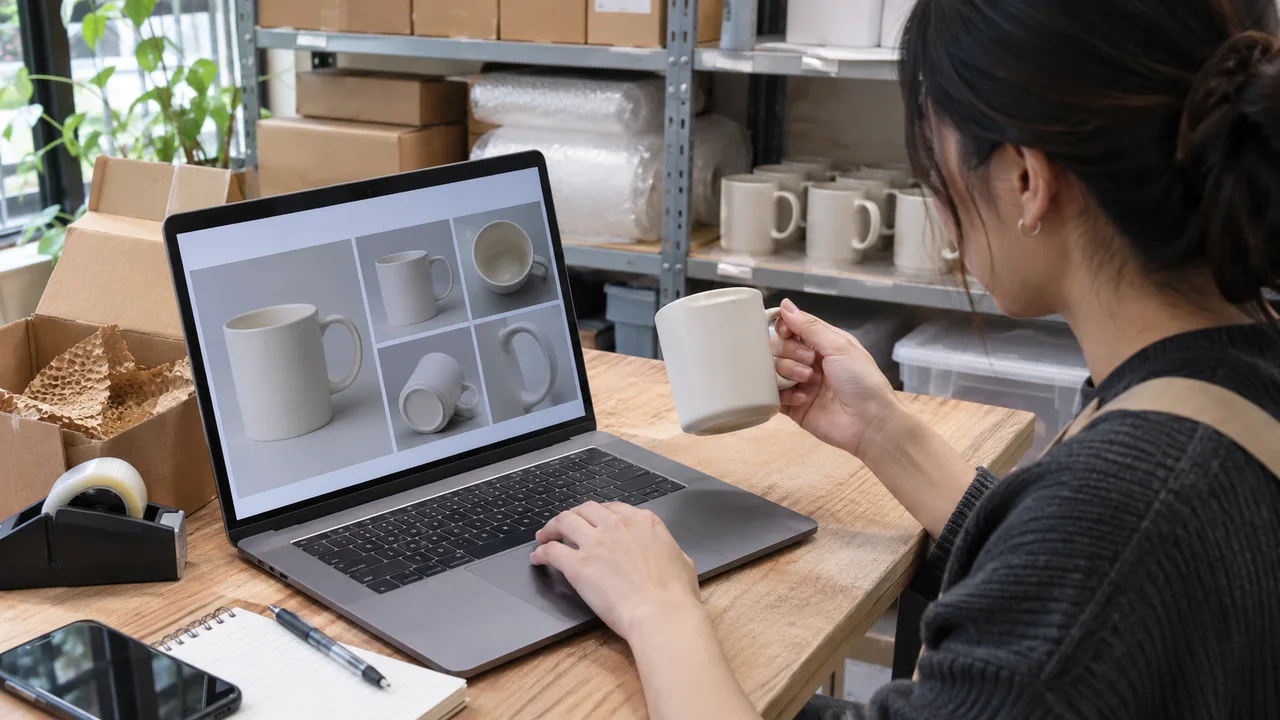
Suppose a Hong Kong shop sells the same ceramic cup in white and blue, individually and as a two-cup set. Four product records may differ in colour or quantity. A main image of one white cup is truthful for the single white record but misleading for a blue cup or a two-cup set. Google recommends a distinct image that shows the distinguishing detail of each variant. Map each product ID to its colour, package count, landing-page selection and main image. Treat this as an editorial acceptance table, not merely a feed column check.
For the set, show what the customer actually receives. A styled tabletop scene can be useful as an additional image, but if it contains extra cups, snacks or accessories that are not included, the landing page should make the contents unmistakable. Google’s additional-image guidance allows staging and views of bundle parts; it does not turn a photograph of several objects into proof that all are included. Avoid relying on tiny text printed inside the image to explain the distinction, especially on a phone. Put the actual pack count and included items in the product information.
A change in supplier packaging is a reason to review the image set. If a customer now receives a different box or a revised visible colour, compare the new stock with the product record and page before reusing old photos. Some cosmetic packaging changes may be harmless, while a changed quantity or connector type is material. Keep a simple inventory of which image URLs serve which IDs so replacing one shared file does not silently alter multiple listings. The goal is that a customer can choose the right variant without discovering a mismatch after checkout.
Repair the exact Merchant Center issue
When Merchant Center flags an image, read the named issue and affected product IDs before touching the whole catalogue. Google’s help for an “incorrect value” says a submitted main or additional image may not appear relevant to the product; its repair path is to submit a picture that contains the advertised item. Open the affected record, compare image URL with the product and page, and update either the product data or source image as appropriate. Do not cover a wrong image with a new caption and assume the issue is solved.
If the URL points to the correct picture but the service still shows an older version, consider caching and fetch timing. Google notes that changing the image URL can help prompt a faster fetch when content at the same URL was replaced, although a stable URL is generally preferable for normal updates. This is a targeted exception for a verified stale-image problem, not a reason to generate a new random URL on every submission. Save both old and new URLs in the issue record, and check that the new URL remains reachable.
Google’s help describes locating affected products under Products and Needs attention, then saving an individual correction or uploading amended product data for many affected records. After updating, revisit the issue list and the actual listing. A disappearance from one diagnostic view is useful evidence, but a customer still needs to see the correct item, selection and page. If the item is temporarily unavailable or the product data is otherwise wrong, repair those separate facts too; a compliant photograph cannot compensate for an inaccurate offer.
Keep a repeatable image review
Give the image review an owner and a trigger. New variants, bundles, supplier packaging changes, seasonal stock and image-host migrations should each prompt a sample check. For every affected product, note the current main-image URL, optional extra-image URLs, actual stock, landing page and review date. A short checklist is more useful than a one-time “all images good” statement, because merchant inventory and URLs change. The reviewer should be able to reproduce the customer path without needing the original photographer or feed developer in the room.
Keep image rights alongside accuracy records. Own photography or clearly licensed supplier assets give the shop a defensible basis for use. If a supplier provides one photo for several variants, inspect whether it truly represents each record; permission alone does not make a wrong variant accurate. If a person appears in a lifestyle view, ensure the business has suitable permission for that use. These are operational checks rather than promises of legal clearance. The goal is a listing that can stay truthful as stock and presentation change.
Close the review with a decision, not just a file upload. State which picture is the main identifying image, which extra views answer an actual shopper doubt, which URL and variant were checked, and whether Merchant Center still lists an issue. If a suitable photograph does not exist, schedule a real reshoot or obtain a licensed, accurate supplier image rather than using a generic placeholder. The immediate practical next action is to audit one high-risk variant pair and one bundle, then apply the same mapping method to the remaining catalogue.
Image audit before closure
- The main image shows the exact item and variant offered by the product record.
- The submitted URL opens publicly and shows the intended file.
- Additional images answer a real buying question and rights are documented.

