Define what saved means
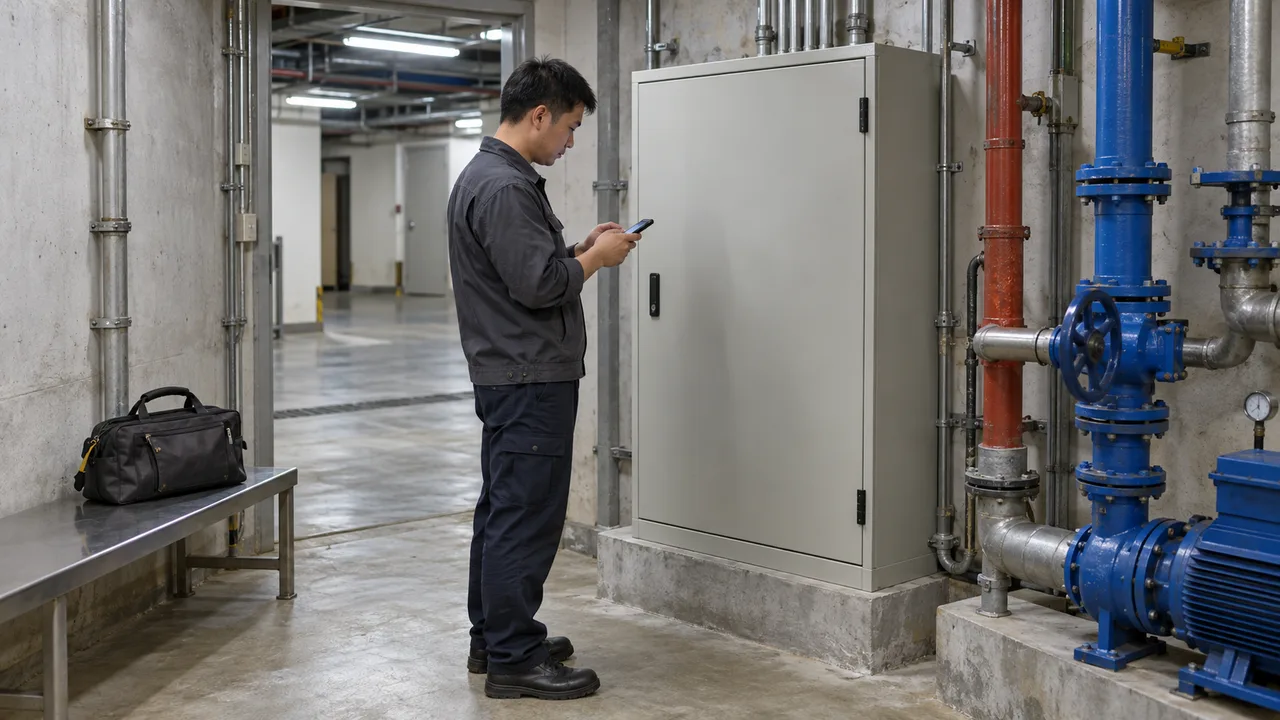
For a Hong Kong maintenance contractor, the buying decision is whether work can continue through a disconnected visit without losing evidence or silently changing the job’s meaning. Imagine a technician inspecting a basement pump while a dispatcher edits the same work order. This is a proposed procurement exercise, not a reported customer incident. Run it on the phones and operating systems your crews actually use before committing the rollout budget.
Android Developers distinguishes offline reading from offline writing. Its guidance describes saving locally before queueing network updates, and explains why competing changes need a resolution policy on reconnection. Last-write-wins is one possible approach. These are Android architecture patterns, not evidence that a particular field-service product supports your workflow. The acceptance requirements below are our proposed business application of that distinction.
Read the Android offline-first architecture guidanceRequire separate messages for saved on this device, waiting to upload, confirmed by the server, and needs review. Show whether photos are still pending. Define confirmation as the office being able to retrieve the accepted report and all required attachments. A successful text upload must not make an incomplete photo set look finished. Local saving alone leaves the only copy exposed if the phone is lost or damaged before upload.
Run the basement-visit test
Use a fictional work order without customer data, a technician account and a separate dispatcher account. Record the starting status and preload the job while online. Disconnect both mobile data and Wi-Fi; a weak signal icon is not a reproducible test. Agree which edits and attachments must survive before beginning. The test must establish that a saved visit remains recoverable and a conflicting office change becomes visible.
Save the visit offline
Enter a fault note and attach two test photos. Save, leave the report screen, close the app and reopen it offline. Confirm the note and both full photos can be opened.
Create a competing edit
On the connected dispatcher account, change the status to awaiting parts. On the offline phone, change that same status to completed and save again.
Reconnect and inspect
Restore connectivity and follow the documented sync action. Check that both proposed statuses and the visit evidence remain available to the agreed reviewer.
Resolve and verify
Have the authorised reviewer choose the final status and record a reason. Open the accepted report and photos from the office, then refresh the phone and confirm the same decision appears.
Repeat the upload with an interruption after the text arrives but before all photos finish. Retry through the supported control and check for duplicate records or attachments. Ask what happens when storage is full, a session expires, or the phone restarts. A useful failure message explains what remains saved and how to recover it. Do not accept an instruction to reinstall or clear app data before unsent work has been recovered.
Choose rules by business consequence
In this worked example, awaiting parts and completed cannot both govern the same job. Automatically keeping whichever edit wins a timestamp comparison could close work that still needs attention. Our proposed rule is to retain both proposals, preserve the evidence and assign the status decision to an operations supervisor. Keep the author, original version and resolution reason so the office can explain the final record later.
| Online-only submission | Work that can wait for reception | Needs an agreed way to capture evidence during the visit |
|---|---|---|
| Local drafts, later server approval | Offline notes and photos | Needs durable storage, upload progress and recovery support |
| Merge independent additions | Separately identified notes or photos | Must prevent duplicate additions on retry |
| Review incompatible changes | Completion status or disputed quantities | Needs a named reviewer and unresolved queue |
For a medium implementation budget, start with offline notes and photos while reserving final completion approval for connected review. This limits the first release without assuming every field can safely merge. If a supplier proposes last-write-wins, ask which fields it covers, how versions are compared and whether overwritten content can be recovered. Accept that trade-off only where the business has explicitly judged the loss tolerable.
Turn the demonstration into acceptance criteria
Give each shortlisted supplier the same script. Request written results for each supported device, permitted offline duration, attachment limits, retry behaviour and conflict ownership. Agree an escalation point when a crew finishes its shift with pending uploads. Budget for device testing and operational support as well as screens. If the test loses evidence or hides competing edits, hold rollout and request a corrected demonstration.
Use the app-approach guide below when comparing native and cross-platform proposals: either approach should demonstrate this scenario. For an implementation discussion, bring the script to the mobile app service team and request separate estimates for local saving, uploads and conflict review. Your next action is a witnessed rehearsal with a technician and dispatcher, followed by an explicit pass or fail result for every requirement.
Guide: choosing a native or cross-platform app approachMobile app development: scope the offline workflowBefore you proceed
- Saved text and full photos survive reopening the app offline.
- Pending attachments stay visible until the office can retrieve them.
- Conflicting status edits retain both proposals and reach a named reviewer.
- Interrupted uploads can resume without duplicate records.
- Rollout approval includes device evidence, support ownership and acceptance results.